Variables and Data Types Explained: A Beginner-Friendly Tour

At a technology school, one of the first questions new programmers ask is: what are variables and data types in programming? The short answer is that variables store information, and data types describe what kind of information is stored. This guide explains both ideas step by step, using everyday analogies and short code examples you can follow even if you have never written a program before.
What is a variable?
A variable is a named place in a program where a value can be kept. Think of it as a labeled box. The label is the variable’s name, and the contents are its value. Later, your program can read the contents, change them, or use them in a calculation.
For example, a box labeled age might contain the number 25. A box labeled city might contain the word Oslo. The program uses the label so you do not have to remember the exact value every time.
In Python, you might write:
age = 25
city = "Oslo"
print(age)
print(city)
The equals sign means “assign this value to the variable.” It does not mean the two sides are equal in the mathematical sense. The value on the right is stored in the name on the left.
Why do variables matter?
Variables make programs flexible. Imagine writing a program that calculates a total price. If the price is stored in a variable, the same calculation can work for different products without rewriting the code.
Variables also make code easier to read. A name such as total_price communicates intent more clearly than a number like 19.99. Clear names help you, and other people, understand what a program is doing.
What is a data type?
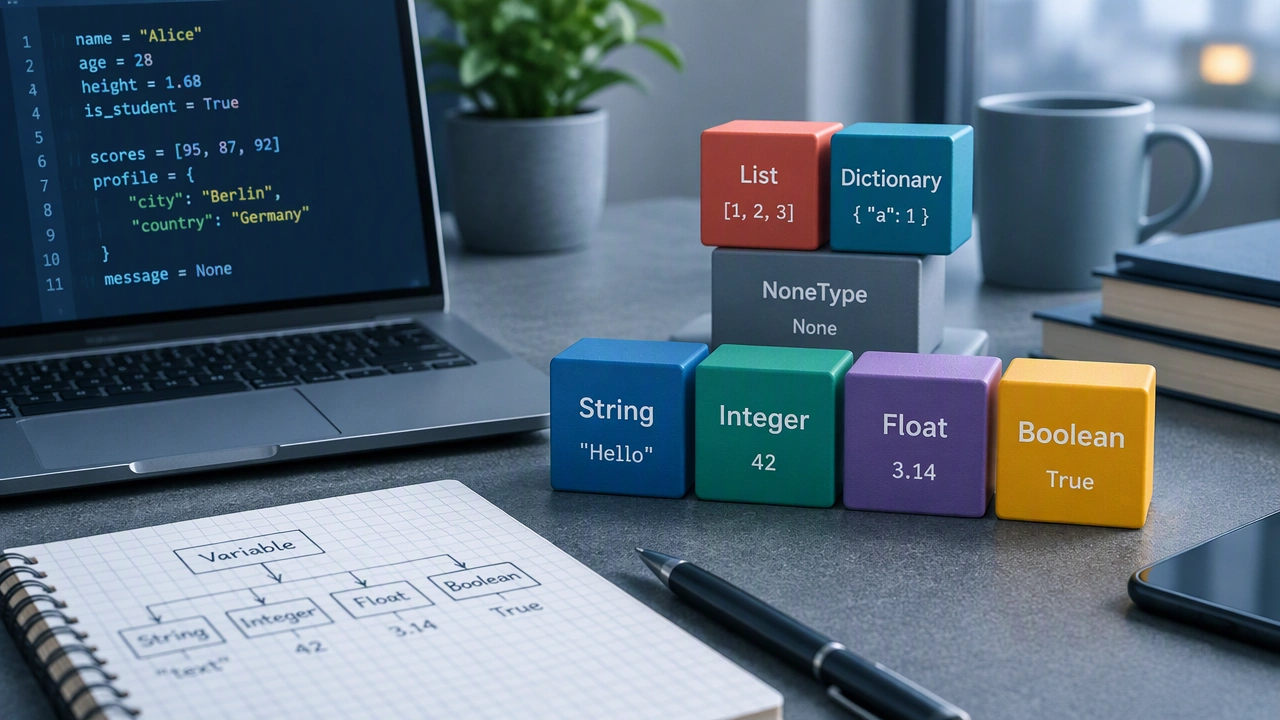
A data type tells the program what kind of value a variable holds and which operations make sense for that value. Common beginner-friendly types include:
- Integer: a whole number, such as 3, 42, or -7.
- Floating-point number: a number with a decimal part, such as 3.14 or 0.5.
- String: text enclosed in quotes, such as “hello” or “Ada”.
- Boolean: a value that is either true or false.
- None or null: a value that represents the absence of a value.
Types matter because operations behave differently depending on the data. Adding two numbers performs arithmetic. Adding two strings joins the text together.
Types through simple analogies
Consider a kitchen drawer system. A drawer for utensils holds forks and spoons, while a drawer for spices holds jars. Putting a fork in the spice drawer would be confusing. Data types work in a similar way: they organize values so the program can handle them correctly.
Another analogy is a form on a paper. An “age” field expects a number, while a “name” field expects text. If someone writes “twenty” in the age field, the form may reject it or treat it differently. Programming languages use types to make similar decisions.
Numbers: integers and floats
Whole numbers are usually integers. Numbers with decimal points are usually floating-point values. In Python:
students = 30
average_score = 87.5
print(students + 1)
Here, students is an integer and average_score is a float. The program can add, subtract, multiply, and divide them, though the result may be a different type depending on the operation.
Text: strings
Strings represent text. Quotes tell the program to treat the characters as text rather than as a variable name or calculation.
greeting = "Hello"
name = "Mina"
message = greeting + " " + name
print(message)
The plus sign joins strings together. This operation is called concatenation. Notice that the space between the words must be added explicitly, otherwise the result would be “HelloMina”.
Choices: booleans
Booleans answer yes-or-no questions. They often appear in conditions:
is_logged_in = True
if is_logged_in:
    print("Welcome back")
Boolean values let a program choose a path. A value of True allows the indented block to run; False prevents it.
Variables can change
The word variable suggests change. A variable can be reassigned a new value during a program’s life:
score = 0
score = score + 10
print(score)
The second line reads the current value, adds 10, and stores the result back in score. After execution, the variable contains 10. This pattern is common in counters, totals, and game logic.
Static and dynamic typing
Languages differ in how strictly they handle types. Some languages, such as Java or C#, are statically typed. You declare the variable’s type, and the compiler checks that every value matches it. Other languages, such as Python or JavaScript, are dynamically typed. The type is usually determined from the value at runtime, and some languages allow a variable to hold different types over time.
Neither approach is universally better. Static typing can catch mistakes before a program runs. Dynamic typing can make short scripts quick to write. Understanding the distinction helps you read error messages and choose the right language for a task.
Type conversion
Sometimes values arrive in the wrong type. User input often arrives as text, even when a calculation needs a number. Conversion functions change the representation:
age_text = "25"
age_number = int(age_text)
next_year = age_number + 1
print(next_year)
Converting “25” to an integer allows addition. Converting invalid text, such as “twenty-five”, may raise an error, so real programs often validate input first.
Naming variables clearly
Good names describe purpose. Prefer total_price over x, and is_ready over flag1. Follow the naming conventions of your language: Python commonly uses snake_case, while JavaScript often uses camelCase. Avoid spaces and reserved words such as if or class.
A small complete example
This example combines several ideas:
name = "Leo"
age = 19
is_student = True
next_year_age = age + 1
print(name, next_year_age, is_student)
name is a string, age and next_year_age are integers, and is_student is a boolean. The program stores values, performs one calculation, and prints the results.
Key takeaways
Variables are labeled storage places, and data types define what those places contain. Choosing clear names, understanding common types, and practicing simple assignments will make debugging easier. Start by writing tiny programs that store a few values, combine them, and print the results. With steady practice, the question of what are variables and data types in programming becomes a practical skill rather than an abstract concept.